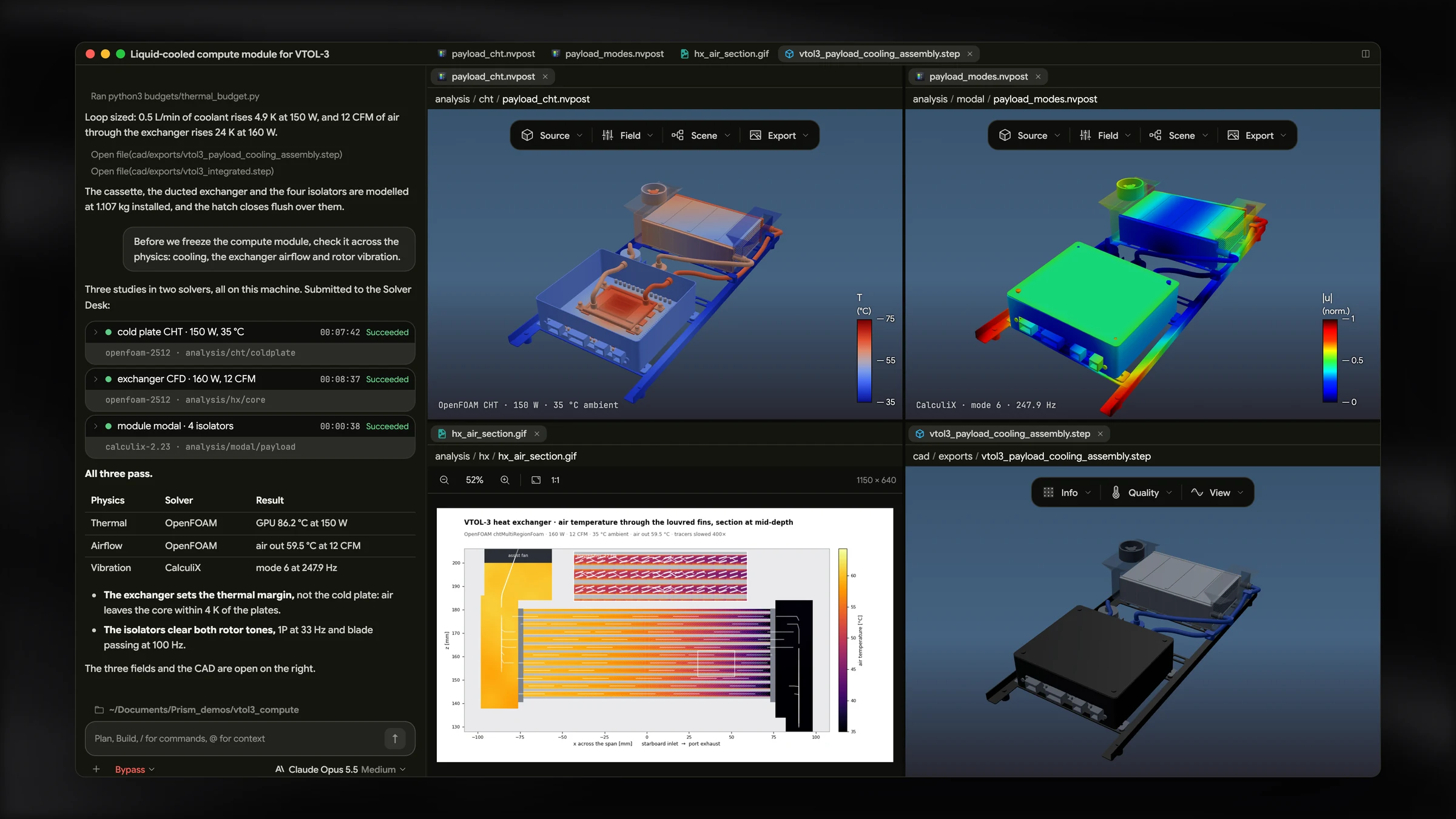
Simulation software predicts how a part or system will behave before you build it. It solves the physics on a digital model so a team can compare designs and catch problems before a physical test.
What it covers
Most hardware questions fall into a few kinds of physics.
- Fluids, with computational fluid dynamics or CFD, for drag, pressure drop, cooling and mixing.
- Structures, with finite element analysis or FEA, for stress, deflection and vibration.
- Thermal, for how heat moves through parts and out to air or coolant.
- Electromagnetics and circuits, for antennas, motors and electronics.
- Multibody dynamics, for mechanisms and moving assemblies.
How a study runs
Every study goes through the same steps, whatever the tool. Build or clean up the geometry. Mesh it. Set the materials, loads and boundary conditions. Run the solver. Check that the answer has converged and makes physical sense. Then pull out the numbers and write the report.
The solve is often the short part. Most of the time goes to setup, meshing and reporting. Every design change sends you back through the chain, so most teams test only a handful of variants.
The four kinds of simulation software
Commercial desktop suites are broad and mature. They are built around a dedicated simulation specialist and usually license each kind of analysis separately.
Cloud simulation platforms run in the browser on remote servers, so there is nothing to install. Your models and results live with the vendor.
Open-source solvers such as OpenFOAM, SU2, CalculiX and code_aster are free and have been used for years across industry, universities and research agencies. You set up each case by hand in text files and scripts.
AI simulation tools come in two forms. Some train a surrogate model on past simulations to predict new results quickly. Others use an agent to set up and run real physics solvers for you.
How to choose
- Who will run it. Without a dedicated analyst, the setup work matters more than the solver.
- Which physics you need. Check that one tool covers fluids, structures and thermal before you buy three.
- Where your data lives. Some teams need models and results to stay on their own machines.
- How you check the answer. Look for validation against published experiments, and input files you can open and audit.
Simulation software using Navier AI
Prism is a desktop app where an engineering agent sets up and runs simulation for you. It runs established solvers such as OpenFOAM, SU2 and CalculiX, plus Ferro, our own FEA solver, on your own machine. You describe the problem. The agent builds the geometry, sets up the case, runs it, checks the result and writes the report. Every input file stays in your project to open and rerun.
See our validation studies against wind-tunnel and towing-tank measurements, read the Prism FAQ, or download Prism.